
This feature helps the waiter, record the order by suggesting pre-configured custom add-ons for each product.
For Example: Meat Cooked Rare, Medium, Medium-Rare etc.
Manage your restaurant with HioPOS global solutions. Their scalable and adaptable POS systems are suitable for any New Zealand business size. HIOPOS products and devices cover all restaurant’s needs, and offer an integrated solution that improves, efficiency, optimizes resources and increases profits.
The HioPOS table design feature allows you to visualize the sales and occupations of your tables in an easy and intuitive way. You can put sales on hold per table, waitress or customer while you attend to other tables.
HioPOS allows your restaurant increase in table turnover, thanks to the graphic table design. You can print subtotals, change your tables or split a customer’s receipts in an easy and efficient way with only one click


This feature helps the waiter, record the order by suggesting pre-configured custom add-ons for each product.
For Example: Meat Cooked Rare, Medium, Medium-Rare etc.
Control the consumption of stock by establishing a unit of measurement for your products, both for purchasing and sales
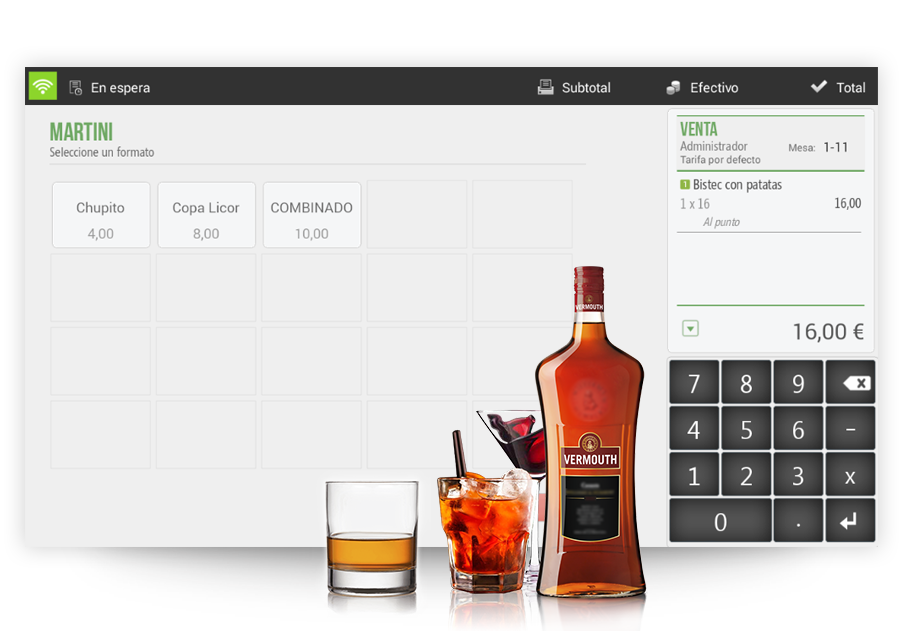
Define the components of each dish by having a control on the cost and the stock of the goods.
Define the retail price of each dish according to their production cost

Create and customize menus and avoid having to check and change dishes periodically. You will be able to select which products you want and which days of the week they will be available. Add products from your database without having to create them again and automatically increase their prices with special products or modifiers.
When making a sale, an electronic ticket will be automatically sent to your customers’ email.
In this ticket your customer will be able to, look back on previous purchases, review their experience, or view the restaurants information. They will also be able to link their social media and connect it directly with Doshii to carry out future table reservation or online orders

The kitchen screen system that helps you optimize the management of your restaurant by receiving the orders taken at the table or bar and allows you to manager their preparation and visually report the status of each of the dishes. HIOSCREEN has three different views: kitchen screen, task screen and order screen
From your own website or social network, your customers can reserve a table online 24 hours a day, seven days a week from anywhere and in real time.
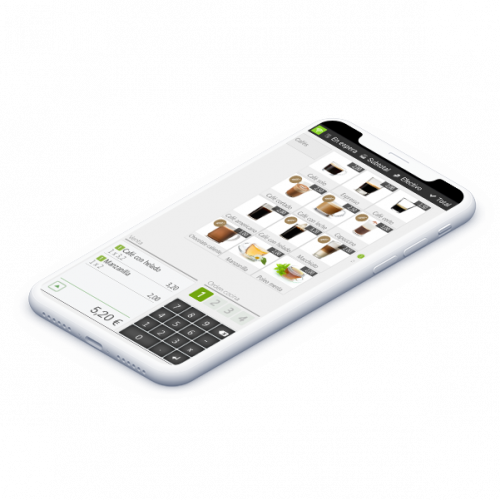
Improve customer service by optimizing service on terraces, tables and lounges, increase table turnover and reduce service times, with HIORDER. Send the orders instantly to the kitchen screens and/or printers installed, and get paid right from the tables, even by credit card with a wireless PinPad.”
With HIOSTOCK you can control the receipt of purchases in the warehouse, enter your orders and carry out inventories. In addition, it also allows you to print labels for your products.


Show your daily promotions and menu with an interactive, multilingual, electronic screen and save on the cost of printed menus and promotions. Your customers will see your menu in an interactive way, with prices, descriptions, ingredient information, allergens, calories and even product photos.
Remove the word ‘Couriers’ and change to ‘delivery drivers’
“Increase the number of customers by providing delivery services and increase efficiency by assigning orders according to their location and waiting times.”

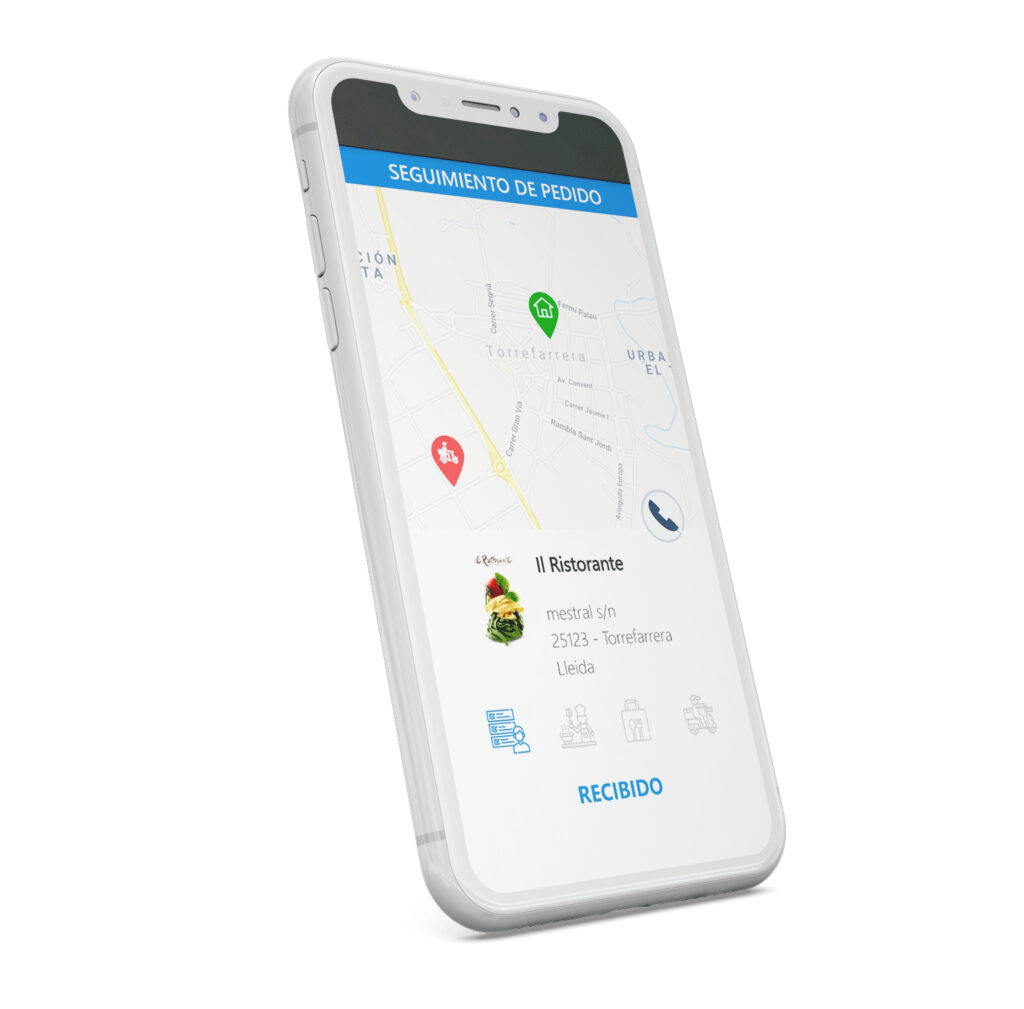
Allow the customer to see the status of their delivery at all times on their smartphone. Once the customer has received their order, HIORDER will give the option of leaving a review for their product.
The delivery person displays both the orders that have been assigned to him and orders that are assigned when reading the QR that appears on the order ticket with his smartphone. The application will indicate the most optimal route for the delivery of the order and allows you to report incidents if there are any. You can also register the delivery to the customer and the payment with a single click in real time.


Now HIOPOS links with External Ordering Platforms to directly receive orders at the POS and automatically send them to the kitchen. Increase efficiency as your deliveries will be faster and management simpler. In addition, analyse all your information with personalized or standard reports.
Don’t lose customers! If your restaurant is full, create a waiting list through the seating application. Record a customer’s contact details so you can send out a notification to them when a table is available.

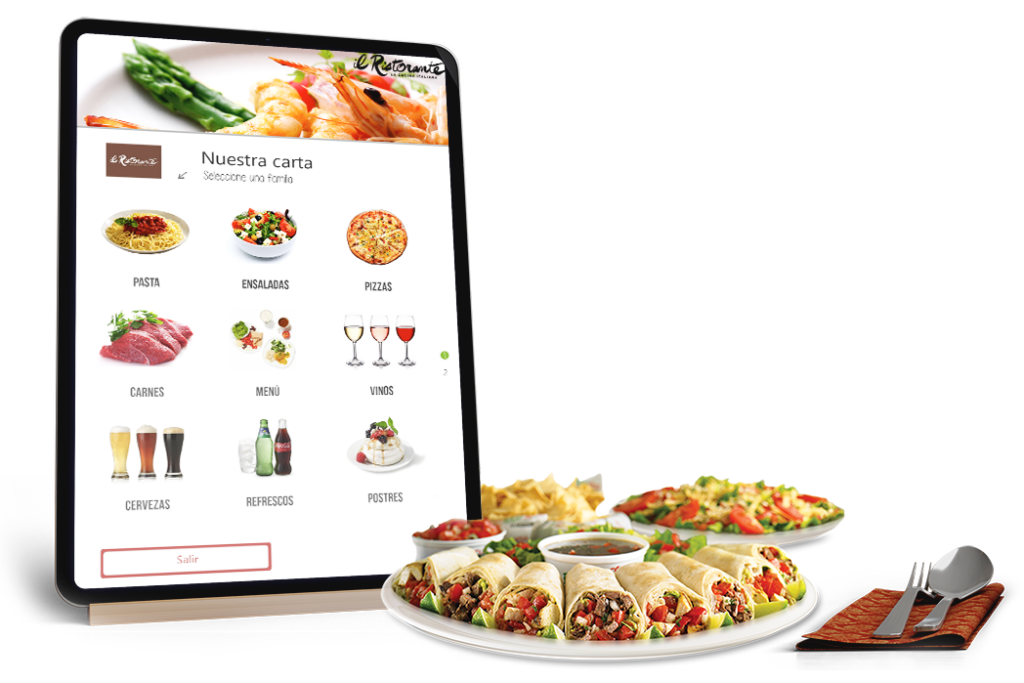
Give a technological air to your restaurant with remote ordering. Place a tablet on each table and have your customers order from the table. You can even have adjustable language settings to cater to all ethnicities.
HIOPOS Analytics is a dashboard system that allows you to browse your business information from anywhere with a single click. Through, KPI’s graphs and tables you can collect and analyse your businesses information for strategic decisions making in real time. This is accessible via a web browser as well as Android and iOS applications.


Speed up sales and avoid manual errors when you connect your PinPad to HIOPOS for automatic card payments
HIOFFICE Lite is a web application with which you can remotely, centrally configure and manage one (HIOFFICE Lite) or several businesses and their data (HIOFFICE PREMIUM).
Receive in real time all the sales and cash closures of each point of sale. Centrally update products, formats, prices, promotions and control the stock in the warehouse. Manager your business purchases in an easy an intuitive way


Keeps working with no internet connection

Receipt Splitting

Menu Management

Modifiers, Formats and Price Tag Management

Room Rate Allocation

Manage Tables with Management Software

Connects to Printers and KVS

Easily Identify Allergens in Products

Access Stats from any Place or Device

Centralised Management of different POS System

Secure Cloud Storage with Daily Backups

Cash Control Management Integration Available